Your Email Signature: The Secret Weapon You’re Overlooking

Usually, when something sounds too good to be true, it is. But you really can create a powerful marketing tool—a marketing email signature—in less than 5 minutes. And a marketing email signature will help you impress steady, high-paying clients, and colleagues who can refer you to these clients.
Few freelancers have a marketing email signature. So if you create one, you’ll stand out in a sea of freelancers.
And you can create your marketing email signature—and start using it—in a few minutes. That’s why I call it the 5-minute marketing miracle.
Key Takeaways
- A marketing email signature helps you look more professional and makes it easy for clients and colleagues to remember you.
- You can create an effective email signature in under 5 minutes using your email program’s formatting tools.
- At a minimum, include your name, what you do, a website or LinkedIn link, and clear contact info (email and phone).
- Adding a logo and tagline improves brand recognition, trust, and referral recall.
Get More Steady, High-Paying Freelance Clients
Even though a marketing email signature is super effective and super easy to create, many freelancers don’t have one. So if you create one, clients and colleagues will remember you. When a client needs to hire a freelancer or a colleague needs to refer freelance jobs to another freelancer, they’ll think of you first.
And a marketing email signature makes you look more professional. Steady, high-paying clients want to work with freelancers who are running professional businesses.
Develop Your Marketing Email Signature
A marketing email signature clearly and concisely tells clients and colleagues:
- What you do
- Why they should hire you or refer freelance jobs and clients to you
- How to get in touch with you.
Along with the right content, a marketing email signature looks great. The best marketing email signatures include a logo.
Even if you don’t have a logo yet, you can still create an impressive and effective marketing email signature. To do this, use:
- Different font sizes
- Bold and regular type, and maybe italics
- Different colors
- The right spacing.
All of these should be available in your email program. I can easily change all of these things in Mail, the Mac email program. If you’re using a free service like gmail and it doesn’t let you easily change these things, switch to a paid email service.
There’s another good reason to switch to a paid email service. Free email services won’t impress clients and colleagues.
Which Freelancer is More Impressive?
Which freelancer would you hire, remember, and/or refer freelance work to?
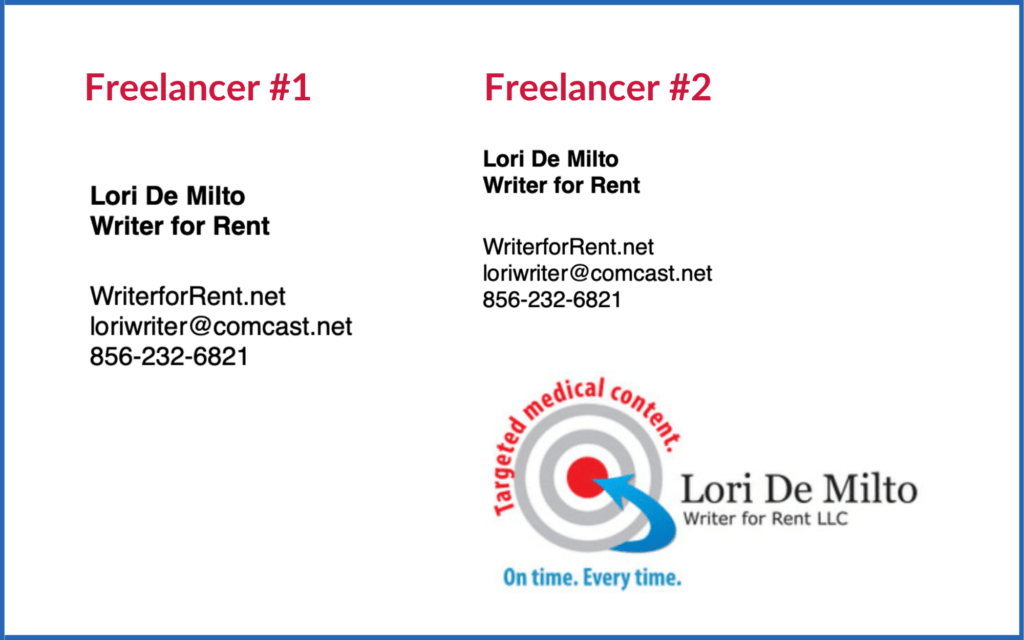
At a minimum, your marketing email signature should include:
- Your name (and company name, if you have one)
- A phrase or sentence that clearly and concisely describes your freelance services
- How people can learn more about you:
- Link to your website (preferable) and/or LinkedIn profile
- How people can contact you:
- Email address
- Phone number
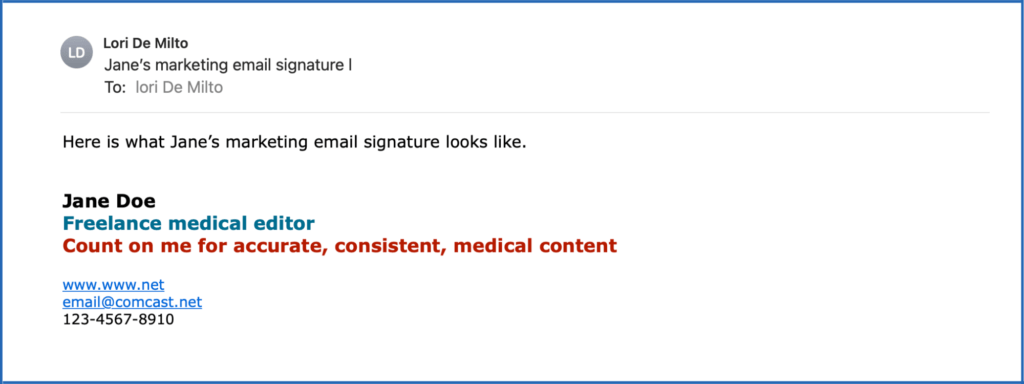
Here are 2 examples without a logo.

The Best Marketing Email Signature
The best marketing email signature has all of the minimum content along with a logo and tagline.
A logo and tagline are a visual way to represent your freelance business and be easily identifiable. Logos and taglines are part of your brand, which helps clients and colleagues:
- Get to know you
- Start to trust you
- Remember you.
Clients want to work with freelancers they know and trust. Colleagues want to refer freelance work to freelancers they know and trust. Both clients and colleagues need to remember you when they are looking for a freelancer.
A logo is an image, symbol, or other design to identify your services. Logos often have an image, but sometimes are just text in a nice design. A tagline is a memorable phrase or sentence that helps your audience understand what you do.
This is how my marketing email signature looks in an actual email.
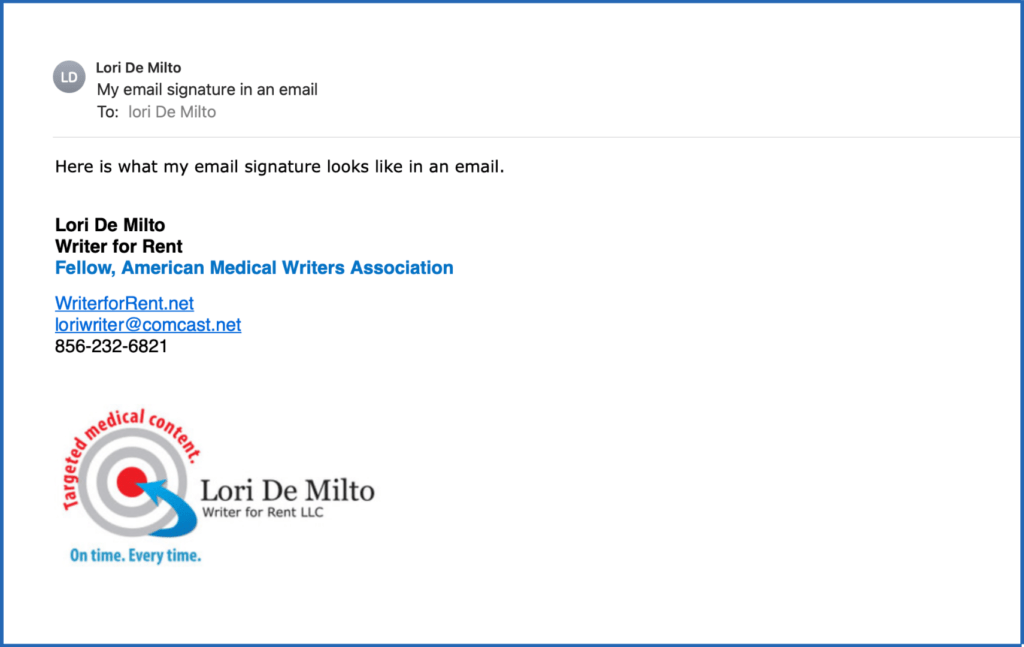
You can clearly see my logo and tagline:
- The bulls-eye with the arrow in the center visually highlights the targeted content I provide
- My tagline “Targeted medical content. On time, every time.” explains what I do and provides 2 benefits to clients of working with me:
- Getting targeted content
- Getting the work done on time.
Like a marketing email signature, a brand will make you look more professional. So you’ll be able to charge more for your services.
Formatting Your Freelance Marketing Email Signature
Make key information and messages in your marketing email signature stand out by using:
- Different font sizes
- Bold type, and maybe italics
- Different colors
- The right spacing.
Great formatting is especially important if you don’t have a logo and tagline.
Use formatting to highlight:
- Your name (and company name, if you have one)
- A phrase or sentence that clearly and concisely describes your freelance services (if you don’t have a logo).
Make the other information smaller and less prominent (but still easy to read, including on a smart phone):
- Link to your website (preferable) and/or LinkedIn profile
- Email address
- Phone number.
Learn More About Freelance Marketing Tools that Work
Word of Mouth: The Best Way to Get Better Freelance Work
How to Stand Out in a Sea of Freelancers: Your Freelance Brand
How to be First in Line for Freelance Work
Frequently Asked Questions About Marketing Email Signatures
What is a marketing email signature for freelancers?
A marketing email signature is a short block at the end of your emails that clearly says what you do, why clients should hire you and colleagues should refer work to you, and how to contact you. It’s meant to make you look professional and easy to remember.
What should a freelance marketing email signature include?
At a minimum, include your name (and company name if you have one), a clear line describing your services, a link to your website and or LinkedIn profile, and your contact details (email address and phone number). This covers the basics clients and referral partners need.
Why does adding a logo and tagline help an email signature?
A logo and tagline make your freelance business easier to recognize and remember. They also help people get familiar with you, trust you faster, and recall you when they need to hire or refer someone.
How do I format an email signature if I don’t have a logo?
Use formatting to make your name and service line stand out, then keep the rest smaller but readable. The article recommends using font size changes, bold (and maybe italics), color, and spacing to create a clean layout that still reads well on a phone.
Should freelancers use a paid email service instead of a free one?
The article’s position is yes, a paid email service tends to look more professional than a free email address. It can also give you better formatting control, which helps your signature look polished.